Members, import, and permissions
Invite members, import people in bulk from an Excel spreadsheet, reset 2FA, and grant module permissions.
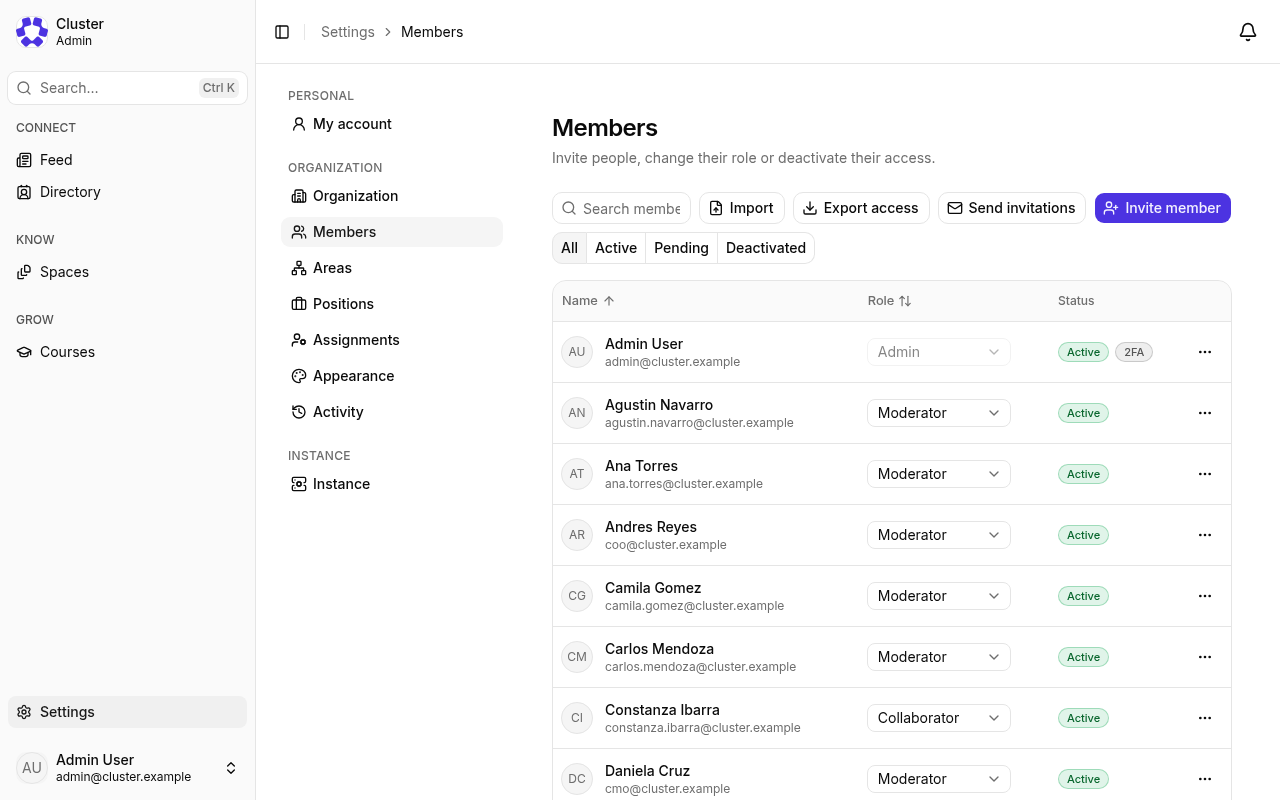
Manage people from Settings → Members.
Inviting and editing members
- Invite member: send an email invitation to a new member (if SMTP is configured) or generate a one-time access link/initial password to share directly.
- Edit details: update a member's name, email address, employee code, phone, and dates. Changing an email address ends their active sessions and notifies the old address.
- Reset 2FA: if an administrator or member loses their authenticator device and recovery codes, an administrator can reset their 2FA from the member's actions. This clears their password and sends a 24-hour set-password link.
Bulk import from a spreadsheet
Open Settings → Members → Import members to create or update multiple people at once:
- Click Download template to get the
.xlsxworkbook with the expected columns. - Fill in your people, their areas, positions, managers, and permissions (up to 5 MB, 2 000 rows).
- Drop or choose the
.xlsxfile to preview every row and check for validation errors. Nothing is saved during preview. - Click Apply to commit all changes in a single transaction.
Organization-wide permissions (capabilities)
While administrators can perform all actions, non-admin members can be granted specific organization-wide permissions from a member's Permissions action:
| Permission | What it allows |
|---|---|
| Create spaces | Can start new KNOW spaces and becomes their manager. |
| Delete spaces | Can delete KNOW spaces they manage, including all pages and files. |
| Manage courses | Can create, edit, assign, publish, and archive any GROW course. |
Access to individual KNOW spaces is separate from organization-wide permissions—set it from the Share button inside each space.